For shops with a counter
Goodbye, roll of paper numbers.Hello, ticket on your phone.
Butcher, fishmonger, deli, bakery, pharmacy or optician: customers take a ticket with a QR code, keep browsing the shop and you call them when it’s their turn. With a screen and printed tickets, if you want them.
- Free plan forever
- With or without a screen
- Optional printed ticket
The usual, behind the counter
“Who’s last?”
Every time someone walks in. And there is always someone who swears they were there first.
The paper-ticket dispenser
Numbers on the floor, a counter display nobody can see from the back and the roll running out right on Saturday.
Customers who leave without buying
They see the shop full, don’t know how long it will be and walk out. And never come back to tell you why.
How it works in your shop
To start, all you need is a sign with the QR code and the shop assistant’s phone.
- 1
Take a ticket
With the QR code at the counter from their phone, or with one tap on a tablet at the entrance. They see their number and how many are ahead.
- 2
Keep shopping
They browse, pick up the bread or wait outside. If they turn on alerts, their phone tells them when it’s their turn.
- 3
You call them
One tap at your desk and their number appears on screen with a sound alert. No shouting numbers.
Everything the old ticket system did, without the machine
Start with a QR code and add a screen, tablet or printer when you need them.
Tickets by QR code
A sign with the QR code on the counter is all you need to start. No devices to buy.
Ticket display
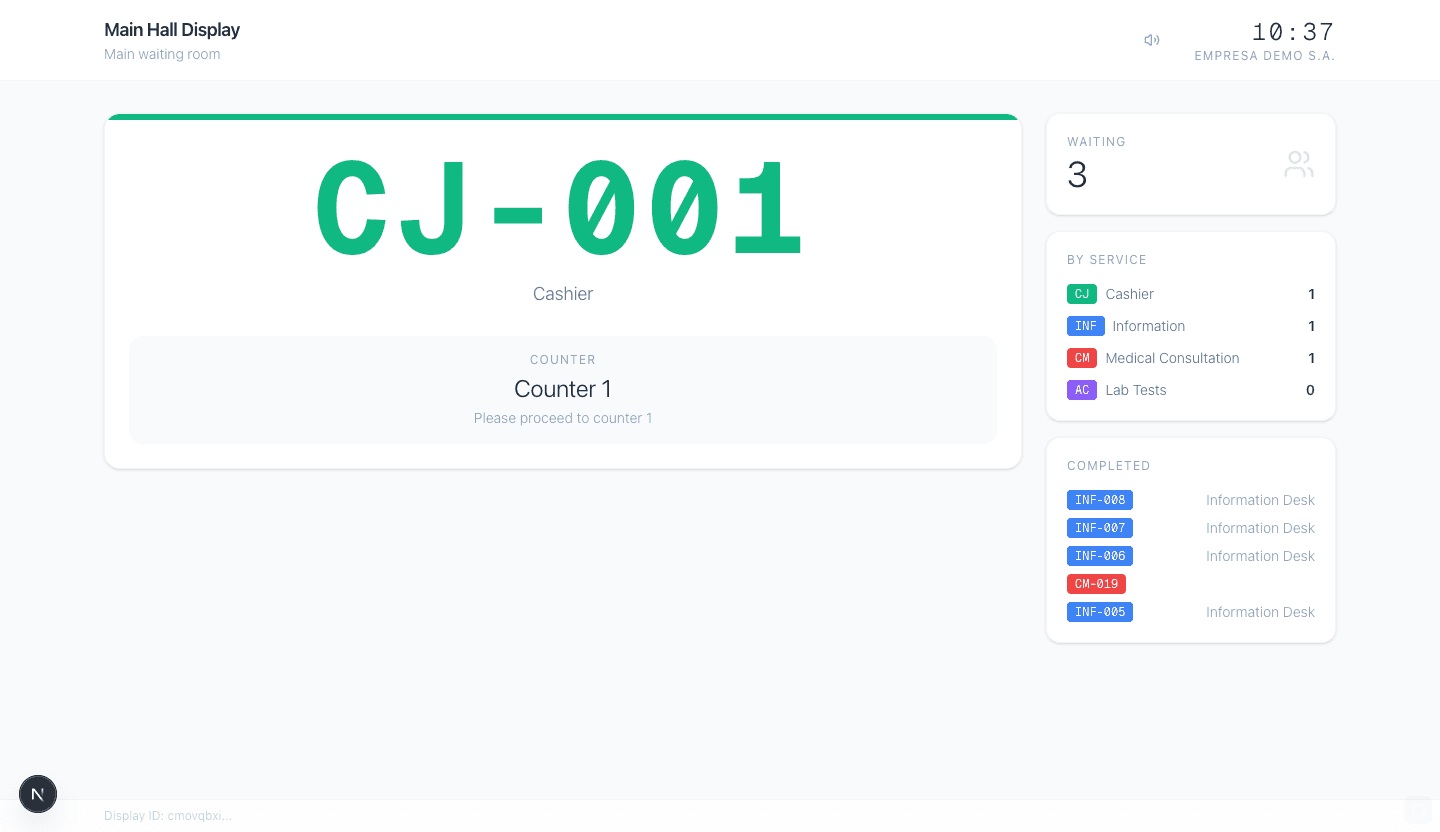
Any TV with a browser shows the number being served, with a sound alert, so it can be seen from the back.
Printed ticket (Pro plan)
For those who’d rather not use their phone: a tablet at the entrance and a network thermal printer hand out the classic paper ticket.
One queue per section
Butcher and deli, or counter and order pickup: each section with its own queue (from Starter, up to 3 services).
Several shop assistants
Each one calls from their own desk: a phone, a tablet or the till computer.
Opening hours
At closing time the ticket system pauses itself, and when you open it starts issuing numbers again. Nothing to switch on or off.
Up and running before you open tomorrow
- 1Create a service (“Counter”) with the average time per customer.
- 2Print the online kiosk’s QR code and put it at the door and on the counter.
- 3Open the calling desk on the phone or tablet behind the counter.
- 4If you have a TV, open it as the ticket display: a browser is all it takes.
Which plan do you need?
One counter with one assistant works on the free plan. With two assistants calling at the same time or several sections, Starter (€19/month). Printed tickets from a kiosk with a printer are available from Pro (€59/month).
See all plansWould you rather have it set up for you?
An installer near you sets up the screen, the tablet or the printer and hands you a working system.
Frequently asked questions
Do I need to buy a ticket machine?+
No. To start, all you need is the QR code and the shop assistant’s phone. Screen, tablet and printer are optional and you can add them whenever you like.
What about older customers who don’t use their phone?+
With a tablet at the entrance they take a ticket with one tap, and with a printer (Pro plan) they get a paper ticket. You can also give them a ticket yourself from the panel.
Can I have one queue for the butcher counter and another for the deli?+
Yes: each section is a service with its own queue. The free plan includes one service; Starter, three.
Can someone install it for me?+
Yes. On the installer map you’ll find local shops that set up the screen, the tablet and the printer and hand you a working system.
How much does it cost?+
There is a free plan forever, no card needed: 500 tickets a month, 1 service, 1 desk and 1 kiosk, with yourturn.space branding and ads. When you outgrow it, Starter costs €19/month and Pro €59/month. No commitment.
So the last one in doesn’t have to ask
Create your free account, print the QR code and your counter is issuing tickets tomorrow.
Create a free accountNo credit card · No commitment
Run a different kind of business?